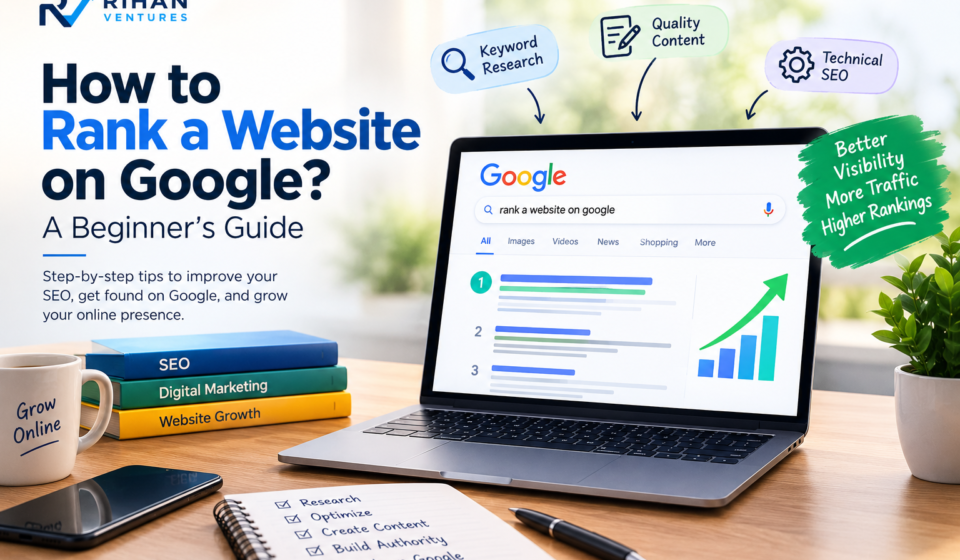

on advertisements? Search engine optimization (SEO) can help you improve your website’s visibility and reach people who are searching for your products, services, or information.How to Rank a Website on Google? A Beginner’s Guide
Google uses automated systems to discover, understand, and rank web pages. To rank a website on Google, you need to create helpful content, optimize your pages, make your website easy to navigate, and provide a good experience for visitors.
Whether you are a blogger, beginner, entrepreneur, or small business owner, understanding SEO can help you build a stronger online presence.
At Rihan Ventures, our goal is to make digital marketing easier to understand. In this beginner’s guide, you will learn how to rank a website on Google, perform keyword research, optimize your content, improve website performance, and measure your SEO results.
1. What Does It Mean to Rank a Website on Google?
Ranking a website on Google means having one or more pages appear in Google’s search results when people search for relevant information.
For example, if someone searches for “best digital marketing tips for beginners,” Google displays pages that its systems determine are relevant and useful for that search.
Websites can appear in different positions depending on the search query, competition, location, and other factors.
A higher position can help a page receive more visibility, but rankings are not guaranteed. Google determines search rankings using many signals, and no single SEO technique guarantees the top position.
If you want to rank a website on Google, your first goal should be to create content that genuinely helps your target audience.
2. Why Is Ranking on Google Important for Your Website?
Google can be an important source of visitors for websites and online businesses.
Here are some benefits of improving your Google search visibility.
Increase Organic Traffic
Organic traffic refers to visitors who reach your website through unpaid search results. Effective SEO can help your pages attract relevant visitors over time.
Reach Your Target Audience
When your content answers the questions people are searching for, it becomes easier to connect with an audience interested in your topic.
Build Trust and Credibility
Useful, accurate, and well-organized content can help establish your website as a valuable resource.
Generate Business Opportunities
For businesses, search traffic can lead to inquiries, leads, product sales, and new customers.
Build Long-Term Visibility
Unlike paid advertisements, organic search traffic does not require payment for every click. However, SEO requires ongoing work, and rankings and traffic can change over time.
3. How Do You Find the Right Keywords to Rank a Website on Google?
Keyword research is an important part of SEO. It helps you understand the words and phrases people use when searching online.
Follow these steps to find suitable keywords for your website.
Step 1: Understand Your Audience
Think about the questions your target audience asks and the problems they want to solve.
For a digital marketing website, potential keywords might include:
How to rank a website on Google
SEO tips for beginners
How to improve website SEO
How to get organic traffic
How to optimize a WordPress website
Step 2: Use Keyword Research Tools
You can use tools such as Google Keyword Planner, Google Trends, Ahrefs, Semrush, and Ubersuggest to discover keyword ideas and examine estimated search demand and competition.
Some tools offer free features, while others require paid subscriptions.
Step 3: Focus on Search Intent
Search intent is the reason behind a person’s search.
For example, someone searching for “how to rank a website on Google” probably wants practical instructions rather than a page selling a marketing service.
Your content should match what the searcher expects to find.
Step 4: Choose Relevant Long-Tail Keywords
Long-tail keywords are more specific search phrases, such as “how to rank a new WordPress website on Google.”
These phrases can help you create focused content for a particular audience.
Remember that keyword research is not just about search volume. Relevance, competition, and search intent also matter when choosing keywords.
4. How Can You Optimize Your Content for Google?
On-page SEO involves improving individual web pages so that search engines and visitors can understand them more easily.
If you want to rank a website on Google, start with these essential on-page SEO practices.
Write a Clear SEO Title.
Create a descriptive title that explains the page’s main topic.
Example:
“How to Rank a Website on Google: A Beginner’s Guide”
Include your primary keyword naturally without making the title awkward or repetitive.
Write a Helpful Introduction
Explain the topic early in the article and tell readers what they will learn.
Use your focus keyword naturally in the introduction when it fits the sentence.
Organize Content With Headings
Use headings to divide your article into logical sections.
For example:
What Is Google Ranking?
How to Find the Right Keywords
How to Improve On-Page SEO
How to Measure SEO Performance
Clear headings make articles easier to read and help visitors find the information they need.
Create a Useful Meta Description
A meta description summarizes the page’s content and may appear in search results. Google can generate a different search snippet when it considers another passage more relevant.
Example:
“Learn how to rank a website on Google with beginner-friendly SEO tips, keyword research, helpful content, technical improvements, and performance tracking.”
Optimize Images
Use relevant images that support your content.
Compress image files where appropriate to reduce loading time, choose descriptive file names, and write meaningful alt text for images that convey information.
Add Internal Links
Link to related articles on your website when doing so helps readers discover additional information.
For example, this article can link to your existing post, “What Are SEO Keywords? A Beginner’s Guide.”
Internal links help visitors navigate your website and help search engines discover relationships between your pages.
5. How Does High-Quality Content Help You Rank a Website on Google?
High-quality content is a fundamental part of a useful website.
Google aims to present relevant, helpful results to people searching for information. Your content should therefore focus on solving real problems rather than simply repeating keywords.
Here are some ways to improve your content.
Answer the Reader’s Question
Start by understanding what the reader wants to know. Provide a direct, clear answer before adding supporting details.
Provide Accurate Information
Check facts, explain concepts correctly, and update outdated information when necessary.
Add Practical Examples
Examples, step-by-step instructions, and screenshots can make complex topics easier for beginners to understand.
Make Your Content Original
Offer your own explanations, experience, analysis, or useful examples. Avoid copying content from other websites.
Keep Content Easy to Read
Use short paragraphs, descriptive headings, lists, and straightforward language.
There is no universal word count that guarantees rankings. Write enough to answer the topic thoroughly without adding unnecessary information.
6. How Can You Improve Your Website’s Technical SEO?
Technical SEO helps search engines access, crawl, and understand your website.
Even helpful content can struggle to appear in search results if a page cannot be crawled or indexed.
Consider these important technical SEO practices.
Make Sure Google Can Index Your Pages
A page generally needs to be indexed to appear in Google’s search results.
Use Google Search Console to inspect important URLs and identify possible indexing issues.
Check that your pages are not unintentionally blocked by robots.txt directives or marked with a noindex instruction.
Create and Submit an XML Sitemap
An XML sitemap lists important URLs on your website and can help Google discover them.
If you use WordPress with an SEO plugin such as Rank Math, check whether your sitemap is enabled.
You can submit the sitemap through Google Search Console. Submitting a sitemap does not guarantee indexing.
Make Your Website Mobile-Friendly
Your website should work well on smartphones, tablets, and desktop computers.
Use a responsive design, readable text, appropriately sized buttons, and layouts that adapt to different screen sizes.
Improve Website Speed
Slow pages can frustrate visitors. Improve performance by compressing images, limiting unnecessary plugins, using efficient themes, and choosing suitable hosting.
Use HTTPS
HTTPS helps protect information exchanged between a visitor’s browser and your website.
Make sure your website uses a valid SSL/TLS certificate and redirects visitors to the correct HTTPS version.
Fix Broken Links
Review your website for broken internal links and incorrect URLs. Repair them where possible to improve navigation and the user experience.
7. How Can You Use Google Search Console to Rank a Website on Google?
Google Search Console is a useful tool for understanding how your website performs in Google Search.
It is particularly valuable for beginners because it provides information about search visibility and indexing.
Step 1: Verify Your Website
Open Google Search Console and add your website as a property. Follow the verification instructions.
Step 2: Submit Your Sitemap
Find your XML sitemap and submit it through the Sitemaps section.
Step 3: Monitor Search Performance
The performance report provides information such as
Clicks from Google Search
Search impressions
Click-through rate (CTR)
Average search position
Queries that bring visitors to your website
Step 4: Identify Improvement Opportunities
Look for pages that receive impressions but relatively few clicks, queries where your pages are relevant but could be improved, and articles that need more useful information.
Do not change titles or content based on one metric alone. Consider relevance, search intent, and the actual needs of your audience.
Step 5: Inspect Important URLs
Use URL Inspection to check Google’s information about individual pages and, when appropriate, request indexing after publishing or updating content.
Google decides whether and when to crawl and index a page.
8. Do Backlinks Help You Rank a Website on Google?
Backlinks are links from other websites to your website.
Relevant, naturally earned backlinks can help people discover your content and may contribute to Google’s understanding of your site’s reputation.
Here are some legitimate ways to attract backlinks.
Publish Useful Resources
Create original guides, research, checklists, or other resources that people may want to reference.
Build Industry Relationships
Connect with relevant website owners, businesses, and publishers. Share useful information that genuinely benefits their audiences.
Promote Your Content
Share your articles through relevant social media channels, professional communities, and email newsletters where appropriate.
Avoid Spammy Link-Building Practices
Buying links intended to manipulate rankings, participating in link schemes, and creating low-quality links at scale can violate Google’s spam policies.
Focus on earning relevant links naturally rather than collecting as many links as possible.
9. How Long Does It Take to Rank a Website on Google?
There is no fixed timeline for ranking a website on Google.
Some pages may begin appearing in search results relatively quickly, while others can take months or longer to gain meaningful visibility.
The timeline depends on factors such as
How easily Google can crawl and index your pages
The quality and relevance of your content
Competition for your target keywords
Your website’s history and existing visibility
The search queries you are targeting
Changes in search results and user needs
New websites may need time to build useful content and establish visibility.
Instead of expecting immediate results, publish helpful content consistently, monitor performance, and improve pages based on evidence.
10. What Are the Most Common SEO Mistakes to Avoid?
When learning how to rank a website on Google, avoid these common mistakes.
Keyword Stuffing
Repeating the same keyword unnaturally can make content difficult to read and may violate Google’s spam policies.
Copying Content
Copied or lightly rewritten articles provide little original value. Create content that genuinely helps your audience.
Ignoring Mobile Users
A website that is difficult to use on a smartphone can create a poor visitor experience.
Publishing Without Keyword Research
Keyword research helps you understand your audience’s needs and create relevant content.
Ignoring Technical Issues
Pages that cannot be crawled or indexed may not appear in search results.
Expecting Instant Results
SEO is an ongoing process. Avoid shortcuts that promise guaranteed rankings.
Forgetting Internal Links
Relevant internal links help readers navigate your website and discover related articles.
11. How Can You Create an SEO Strategy for a New Website?
If you are starting a website, a simple SEO plan can help you stay organized.
Follow this beginner-friendly checklist:
Identify your target audience and main website topics.
Research relevant keywords for each topic.
Create useful pages that match search intent.
Write descriptive titles and meta descriptions.
Organize content with clear headings.
Add relevant internal links between related articles.
Make sure important pages can be crawled and indexed.
Improve mobile usability and page performance.
Set up Google Search Console.
Review performance and update content when needed.
For Rihan Ventures, you could build a collection of articles about SEO keywords, keyword research, WordPress, digital marketing, backlinks, and website optimization.
These related articles can support a useful content structure and help readers explore your website.
Conclusion
Learning how to rank a website on Google takes time, consistency, and a clear understanding of your audience.
Start by researching relevant keywords, creating helpful content, optimizing your pages, and making sure Google can discover and index your website. Improve technical SEO, use internal links thoughtfully, and monitor your progress through Google Search Console.
Remember that there is no guaranteed shortcut to the top of Google. Focus on providing genuine value to visitors and improving your website based on what you learn.
At Rihan Ventures, our goal is to help beginners and business owners understand digital marketing and build a stronger online presence. Apply these SEO practices step by step, stay consistent, and keep improving your website over time.
Frequently Asked Questions (FAQs)
1. How do I rank a website on Google for free?
You can work on SEO without paying for advertisements by creating helpful content, researching relevant keywords, optimizing your pages, improving technical SEO, and using free tools such as Google Search Console and Google Trends. Some SEO tools and services may charge fees.
2. How can I rank my new website on Google?
Start by publishing useful, original content, choosing relevant keywords, creating a clear site structure, adding internal links, and checking indexing through Google Search Console. Building visibility takes time, and rankings are not guaranteed.
3. How do keywords help a website rank on Google?
Keywords help describe the subject of a page and connect your content with relevant search queries. Use them naturally in titles, headings, URLs, and body content where appropriate.
4. How long does it take to rank a website on Google?
There is no guaranteed timeline. Depending on the website, competition, content, and indexing, meaningful results can take weeks or months and sometimes longer.
5. Is WordPress good for SEO?
Yes. WordPress supports many SEO-friendly features and plugins, including tools for managing titles, meta descriptions, sitemaps, and other optimization settings. However, using WordPress does not automatically guarantee high rankings.
6. Does website speed affect Google rankings?
Google uses page experience signals, including Core Web Vitals, in its ranking systems. Speed and usability are worth improving, but good performance alone does not guarantee high rankings.
7. Do backlinks help a website rank on Google?
Relevant, naturally earned backlinks can support discovery and contribute to a site’s reputation. However, artificial link schemes intended to manipulate rankings can violate Google’s spam policies.
8. Can I rank a website on Google without backlinks?
Yes, a page can appear in Google Search without backlinks. Relevant content, accessibility, indexing, and other factors can help a page become discoverable. Backlinks are not a requirement for every ranking.
9. What is the best tool to check Google rankings?
Google Search Console is a useful free option for reviewing search queries, impressions, clicks, and average position. Third-party SEO tools can provide additional keyword and competitor research features.
10. Does publishing more blog posts improve Google rankings?
Publishing more posts does not automatically improve rankings. Focus on original, useful articles that meet audience needs. A smaller collection of high-quality articles can be more valuable than many repetitive or low-value posts.
Visit Homerihanventure.online